Show the relevant guide
Use a product-specific guide, a brand guide or the store default, in that order.
Design
Put your measurements and fitting advice beside the size choice. Size & Fit Guide is free, with product, brand and default guides and centimetre/inch views.
Explore what it can doFree updates for as long as it is published
See it in action · Screenshots from our demo store
Built for your day-to-day
Use a product-specific guide, a brand guide or the store default, in that order.
Organize your own sizing measurements in a table and let shoppers switch between centimetres and inches.
Open the guide from the product page, without sending shoppers away from their choice.
A focused guide shows the measurements and instructions you provided, while keeping the product in context. It does not guess a shopper’s body measurements.
Take a closer look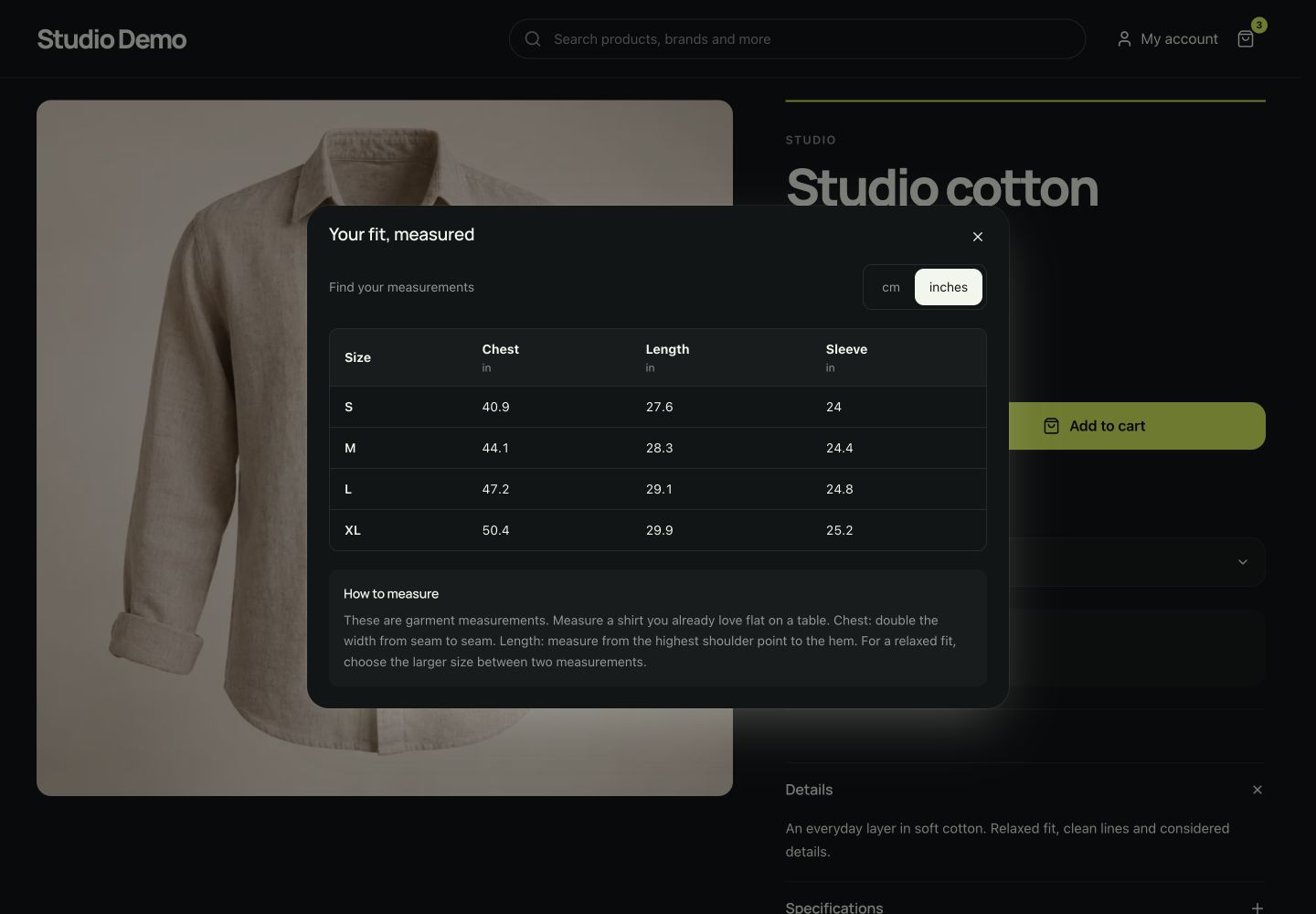
Set a useful store default, add a brand guide and override it for a product with different sizing. Preview the table before saving.
Take a closer look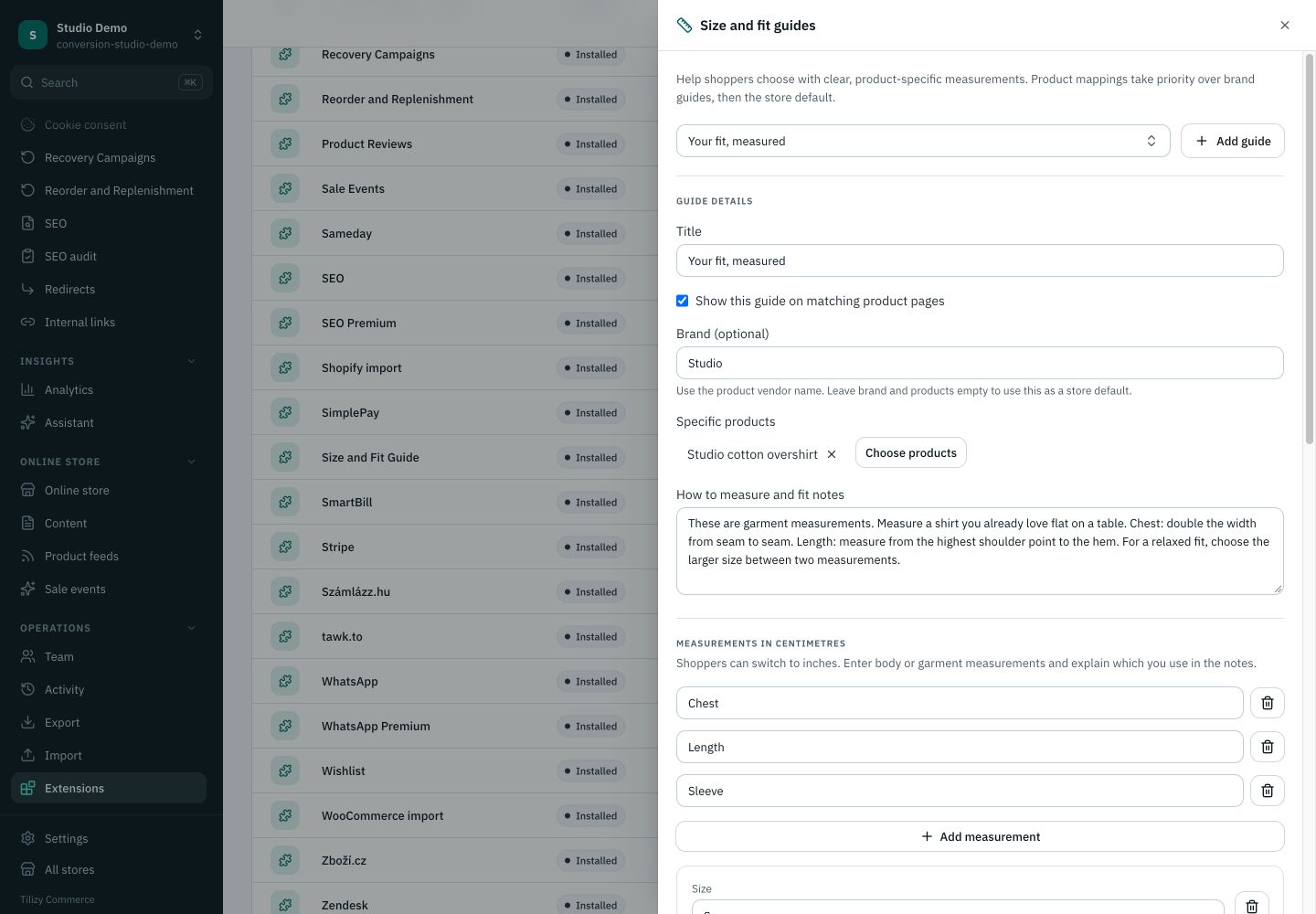
Designed for everyday commerce
Use accurate sizing data from your products or manufacturer.
Assign a guide to a product or brand, or make it the store default.
Preview the table and fitting advice on desktop and phone.
Your existing catalog, prices and checkout stay connected.
Before you get started
Yes. Size & Fit Guide is a free extension.
No. It presents the measurements and fitting advice you provide, without an unsupported fit prediction.
Yes. Product-specific guides take precedence, then brand guides, then the store default.
Free, in one click
Name your store and the extension is added from its back office.
Always up to date
Free updates for as long as it is published.
Made by Tilizy
Built, tested and supported by the team behind Tilizy Shop.
Works with your store
Tilizy Commerce ^1.0.13, nothing else to set up on the server.
Put your measurements and fitting advice beside the size choice. Size & Fit Guide is free, with product, brand and default guides and centimetre/inch views.
Show the relevant guide. Use a product-specific guide, a brand guide or the store default, in that order.
Make measurements readable. Organize your own sizing measurements in a table and let shoppers switch between centimetres and inches.
Keep the advice nearby. Open the guide from the product page, without sending shoppers away from their choice.
Is this extension free? Yes. Size & Fit Guide is a free extension.
Does it predict a personal size? No. It presents the measurements and fitting advice you provide, without an unsupported fit prediction.
Can brands have different charts? Yes. Product-specific guides take precedence, then brand guides, then the store default.
No reviews yet
Reviews come from merchants who use it: only stores with a license or an install can rate an extension.
Respect shopper visibility in size guide endpoints #1865
No notes for this version.
Theme
An editorial storefront theme: serif display type, a warm palette with an automatic dark mode, and gallery-led product pages.

Theme
Wellness storefront with search-led navigation and airy product information.

Theme
Beauty and personal care storefront with centered branding and spacious product galleries.

Theme
An electronics and gadgets storefront theme with bold catalog navigation, wide product galleries and a signature footer.